Evaluate Canva for brand-controlled campaign production, Figma Design for reusable components and collaborative design systems, and Midjourney for generating visual concepts from text and image references. They can occupy different stages of the same process. Test edits, approvals, exports and source provenance instead of choosing from a single attractive image.
Buy for the second edit, not the first impressive image
Imagine a tokenization company preparing a webinar announcement. It needs a square social graphic, a wide email image and a presentation cover. Then the speaker changes, the product claim is narrowed and another colleague takes over. The useful production system is the one that lets that colleague make the approved correction without breaking the other formats or losing the underlying asset history.
Canva, Figma and Midjourney are existing catalog companies in a visual-design category that has not had a dedicated comparison here. The scope is static visual production, not the earlier AI-video or marketing-writing articles. Official primary pages were reviewed November 4, 2026. We did not run authenticated design trials, compare generation quality or measure editing speed. The workflow recommendations are editorial analysis.
| Production job | Canva | Figma Design | Midjourney |
|---|---|---|---|
| Evidence-backed starting point | Brand resources and design-approval settings | Shared libraries for reusable design assets | Image generation guided by text and image references |
| Buying focus | Who can edit, submit, approve and publish? | Who maintains shared assets and reviews changes? | How will references and generated outputs be reviewed? |
| Important boundary | Approval behavior depends on plan and settings | A reusable component is not a publication approval | A reference is inspiration, not a fidelity guarantee |
| Pilot artifact | Approved campaign set in several formats | Reusable component and its consumer files | Selected concept with source and revision record |
| Do not infer | Every design is automatically locked behind review | Every brand or export task belongs in Figma Design | Generated media is a photograph of the real product |
References: Canva design approval settings, Figma library documentation and Midjourney image prompts. The table compares the evidenced workflow, not every current product in each vendor's suite.
Canva: demonstrate the gate between a draft and publication
Canva's official approval guide describes configurable review before publication, with capabilities varying by subscription. It distinguishes individual reviewers from more advanced enterprise options and lets administrators choose whether approval is required. When required, the guide says members cannot publish or download until approval is received. The exact team, template scope and settings therefore matter.
In a demonstration, ask a non-administrator to change a claim and attempt to export the design. Then have the assigned reviewer approve it. Repeat after another edit. Record what was reviewed and whether the exported artifact matches that state. Do not assume that a comment, an approval request and a mandatory publication gate are the same control.
Canva's Brand Kit page describes centralized brand resources. For a recurring campaign, ask which assets a colleague can substitute and which must remain controlled. Keep commercial claims and dates in a separate approved content record as well. A correct font and logo do not make an incorrect product statement acceptable.
Figma Design: reusable assets need an owner and a change policy
Figma's library documentation covers publishing and sharing reusable design assets. That makes Figma Design a candidate when the deliverable is a maintained component system as well as a finished image. This is a narrower claim than saying that Figma is only a product-design tool: its broader suite has other products, which need their own evaluation rather than being silently included here.
Start with one campaign component containing an illustration, speaker information and a claim area. Ask the designer to make a shared correction, show how consumer files handle it, and explain what happens to a deliberately detached copy. Preserve the file and asset identifiers. A collection of visually similar copies is not necessarily a governed design system.
The Figma descriptions guide explains documentation attached to reusable assets. Use that facility, or an agreed external record, to tell the next editor what can change and where the factual copy originates. The proposed operating practice is ours; the documentation does not prove that a buyer's team will maintain it consistently.
Midjourney: separate image exploration from factual depiction
Midjourney's image-prompt guide says an image can guide the content, composition and colors of a new creation. The reference is a source of inspiration, not an instruction to preserve every physical feature. A generated concept can be useful during exploration while still being unsuitable as evidence of a real facility, device or interface.
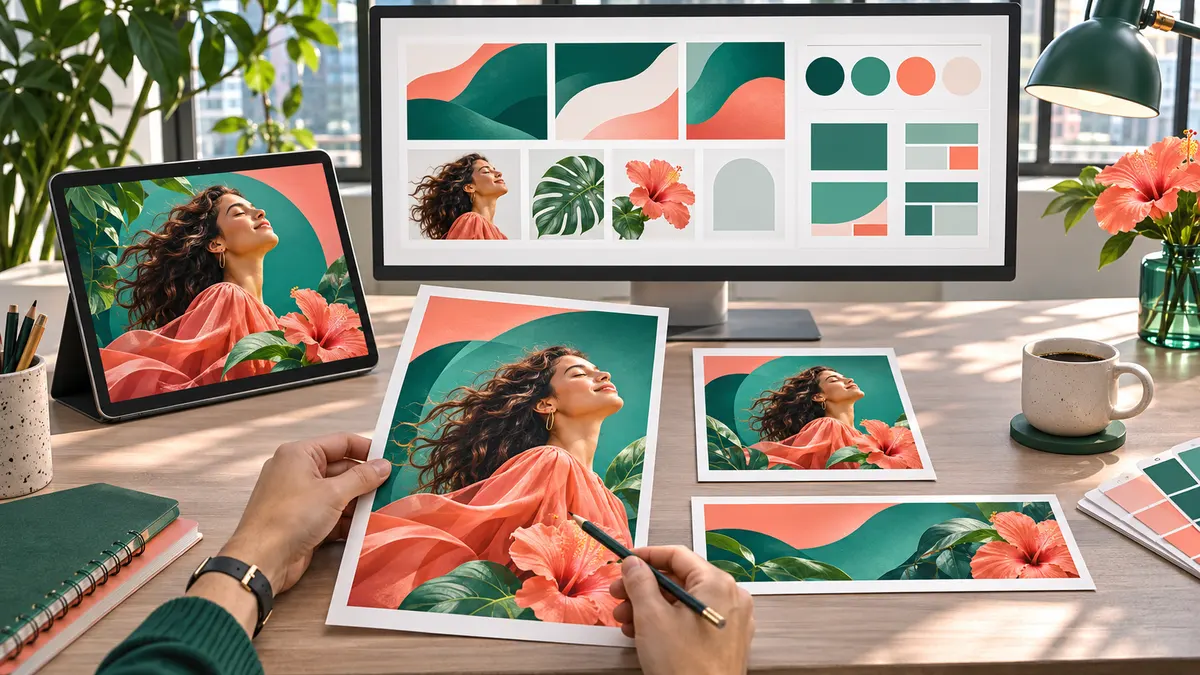
For a financial product announcement, separate an illustrative background from the product screenshot and the approved text. Ask the editor to identify each element's source. If a viewer needs to inspect a real wallet screen or contractual document, show authorized accurate media rather than a generated approximation. The illustration accompanying this article is labeled as an illustration for the same reason.
Keep a local record of the prompt, reference permissions, selected output and later edits. Do not upload confidential unreleased designs until the organization has reviewed the relevant service settings and terms. This article makes no commercial-license interpretation, exclusivity promise or claim that generated output is free of third-party rights. Those require their own review.
Run one revision exercise across the whole workflow
Give the team a fictional event brief, authorized source assets and three fixed output sizes. The exercise can use all three tools if that is the intended process. The point is not to force every stage into one application; it is to expose who owns each handoff and what gets lost there.
| Revision | Evidence to inspect | Acceptance question |
|---|---|---|
| Replace the speaker | All final formats and the approved source copy | Did every required occurrence change? |
| Narrow a product claim | Reviewer decision and final export | Can the team connect the artifact to its approval? |
| Update a shared visual | Library/version record and consumer files | Which copies remain out of date? |
| Reject a generated detail | Original reference, rejected output and replacement | Is the factual issue resolved, not merely hidden? |
| Hand work to another editor | Editable source and asset inventory | Can the successor finish without recreating it? |
| Publish an accessible version | Final contrast, text alternative and reading order | Can the intended audience understand the content? |
These are proposed checks rather than hands-on findings. Inspect the actual exported file, not just the editor canvas. Check text at the size it will appear on a phone, ensure information is not carried by color alone, and verify that factual copy remains selectable or has an accessible equivalent wherever the publishing channel allows it.
Quote the complete production chain
Ask each vendor or implementation partner for the seats, approval capabilities, library access, usage allowances, storage and export requirements needed by the same brief. Include time for reviewing generated material, recreating flattened assets and maintaining templates. We have no common-workload quote, so a lowest-price or fastest-production ranking would be invented.
Choose a Canva evaluation when repeatable brand production and its configured approval gate are central. Choose a Figma Design evaluation when reusable assets and systematic design changes are central. Choose a Midjourney evaluation when the unresolved task is visual exploration. Confirm broader capabilities and contractual terms independently before treating any combination as production-ready.
For adjacent workflows, read AI video production and marketing-content drafting. Those are different output and review problems. The AI vendor directory retains the existing company listings; this article neither redesigns that directory nor implies an endorsement.
FAQ
Are these three products direct substitutes?
Only for some tasks. This article compares brand production, reusable design systems and visual ideation as different stages, not as identical products with equal feature boundaries.
Does an image prompt preserve the reference exactly?
Do not assume that. Midjourney describes references as inspiration for new images. Verify factual objects and product details separately; use authorized original media when exact depiction matters.
Does a brand approval establish publication rights?
No. Brand review, factual review, accessibility checks and rights review are separate responsibilities. The relevant license and agreement need their own qualified review.
Choosing a visual-production workflow?
Share your output formats, approval responsibilities and existing design system, or email contact@fluidrwa.com.